- Pagina inicial /
- Livros /
- Computadores e Tecnologia /
- Operating Systems /
- Windows 11 for Beginners: The Complete Step-by-Step Use...
0 ratings


Artigo n.º:
89657438
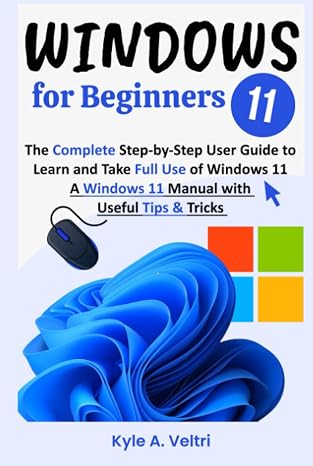
Windows 11 for Beginners: The Complete Step-by-Step User Guide to Learn and Take Full Use of Windows 11 (A Windows 11 Manual with Useful Tips &
Artigo n.º:
89657438
STD 742320
Price Details
Excluding Shipping & Custom charges ( Shipping and custom charges will be calculated on checkout )
*All items will import from EUA
0 ratings
Escreva um comentário
Em estoque
 Importado da loja USA
Encomende já e receba por volta de Sábado, Agosto 01
Transação segura
A Ubuy trabalha arduamente para proteger a sua segurança e privacidade. O nosso sistema avançado de segurança de pagamentos garante a confidencialidade ao encriptar as suas informações durante a transmissão, utilizando os protocolos AES (Normas de Encriptação Avançada) e SSL (Camada de Sockets Seguros). Os seus dados de pagamento estão 100% seguros, pois não partilhamos os seus dados de pagamento com vendedores terceiros.
Os nossos principais Parceiros Logísticos


This is a detailed reference book made to help new users in navigating the most recent operating system from Microsoft.

Fast
Shipping

Devolução
gratuita*

Embalagem Segura

Produtos 100% Originais

Certificação PCI DSS

Certificação ISO 27001


Note: Step Down Voltage Transformer required for using electronics products of EUA store (110-120). Recommended power converters Compre Agora.


O que se Destaca
Comprehensive Guide
This step-by-step manual offers beginners an extensive overview, covering all aspects of Windows 11, ensuring users can navigate and utilize the system effectively from the start.
Helpful Tips
Packed with useful tips and tricks, this guide enhances user experience by providing shortcuts and techniques to maximize productivity and streamline everyday tasks on Windows 11.
User-Friendly Format
Designed for ease of understanding, this Kindle edition features clear instructions and visuals, making it accessible for all beginners, regardless of their technical background.
Detalhes do produto
| Publisher | Independently published |
| Publication date | February 24, 2023 |
| Language | English |
| Print length | 132 pages |
| ISBN-13 | 979-8378793044 |
| Item Weight | 9 ounces (255.15 grams) |
| Dimensions | 6 x 0.49 x 9 inches (15.2 x 1.2 x 22.9 cm) |
Quem Deverá Comprar?

-
New Users
Individuals who have never used Windows before will find this guide extremely helpful for understanding the basics.
-
Transitioning Users
Users switching from older versions of Windows will benefit from a step-by-step approach to adapting to new features.
-
Tech Enthusiasts
Tech enthusiasts looking to enhance their knowledge of Windows 11 can gain insights through tips and tricks provided.

-
Advanced Users
Experienced Windows users may find the content too basic and not sufficiently challenging or informative.
DESCRIÇÃO DO PRODUTO
Windows 11 for Beginners: The Complete Step-by-Step User Guide to Learn and Take Full Use of Windows 11 (A Windows 11 Manual with Useful Tips & Tricks)
Tem alguma Dúvida? Converse connosco
Perguntas e Respostas dos Clientes
-
pergunta:
What is Windows 11 for Beginners about?
Resposta: Windows 11 for Beginners is a comprehensive user guide designed for individuals new to Windows 11. This manual offers step-by-step instructions, ensuring that even those with minimal technological experience can navigate and utilize the latest features effectively. It covers everything from setup to advanced functionalities, making it an ideal resource for anyone striving to become proficient with this operating system. -
pergunta:
Who should use this Windows 11 guide?
Resposta: This guide is perfect for anyone new to Windows 11, including first-time users, individuals upgrading from older versions, or those looking to enhance their computer skills. It breaks down complex topics into manageable sections, facilitating a better understanding of the operating system. Whether you're a student, a professional, or simply someone looking to improve their digital literacy, this guide meets your needs. -
pergunta:
What topics are covered in the guide?
Resposta: The guide encompasses a wide range of topics, such as installation, personalization, navigation, application management, and troubleshooting tips. Additionally, it delves into productivity applications, security features, and basic system maintenance. Each section is designed to empower users to take full advantage of Windows 11’s capabilities, ensuring a thorough understanding of the system. -
pergunta:
Can this guide help with troubleshooting Windows 11 issues?
Resposta: Yes, the guide includes a dedicated section for troubleshooting common Windows 11 problems. It provides clear guidance on how to diagnose issues and implement solutions effectively. By following the practical tips and techniques outlined, users can resolve various challenges, enhancing their overall experience and confidence in using the operating system. -
pergunta:
Is this guide suitable for older Windows users transitioning to Windows 11?
Resposta: Absolutely. The guide is especially beneficial for users transitioning from older versions of Windows, such as Windows 10 or 8. It highlights the significant changes and new features of Windows 11, making the learning curve smoother. Users familiar with previous versions will appreciate the comparative insights that help them adapt seamlessly to the new interface. -
pergunta:
How does this guide enhance productivity?
Resposta: The guide enhances productivity by offering tips on utilizing Windows 11 features that streamline workflows, such as virtual desktops, snap layouts, and the Microsoft Teams integration. Users will learn how to manage their tasks more efficiently, whether they are working on projects, attending virtual meetings, or engaging in creative pursuits, thereby maximizing their time and output. -
pergunta:
Does the guide include tips for customizing Windows 11?
Resposta: Yes, customization is a key feature of Windows 11, and the guide includes a section dedicated to personalizing the operating system. Users will learn how to adjust settings for colors, themes, taskbar configurations, and app placements, allowing them to tailor their experience according to their preferences and work habits, fostering a more personalized computing environment. -
pergunta:
What are some unique features of Windows 11 highlighted in the guide?
Resposta: The guide highlights unique features such as the redesigned Start menu, integrations with Microsoft Edge for improved browsing, and enhanced gaming capabilities, including DirectStorage and Auto HDR technologies. These innovations signify a significant upgrade in user experience, promoting a seamless interaction with both productivity tools and entertainment options. -
pergunta:
Where can I find practical use cases for Windows 11?
Resposta: Practical use cases for Windows 11 are embedded throughout the guide in various scenarios. Whether it's for students managing schoolwork, professionals organizing tasks, or gamers utilizing the latest features, the guide provides specific examples to illustrate how new functionalities can enhance daily tasks and activities, making it relatable and actionable for readers. -
pergunta:
Where can I buy Windows 11 for Beginners?
Resposta: You can purchase Windows 11 for Beginners: The Complete Step-by-Step User Guide on Ubuy in São Tomé and Príncipe. Ubuy offers a convenient platform to access this essential manual, ensuring that you have all the resources needed to effectively learn and utilize Windows 11 to its fullest potential.
Operating Systems Editorial Review
"Windows 11 for Beginners: The Complete Step-by-Step User Guide" has received mixed reviews from customers looking to bridge the gap between their previous experiences with Windows and the new interface of Windows 11. While some users found the guide helpful for refreshing their skills after a hiatus from computing, others felt that it lacked the depth required for a smoother transition from Windows 10. Many reviewers highlighted the clarity and straightforwardness of the booklet, which made it accessible for those who were not well-versed in technology, particularly for individuals rekindling their computer skills after using tablets for an extended period. This guide appears to cater well to beginners or individuals seeking to improve their basic knowledge. However, those looking for comprehensive insights into the differences between Windows 10 and 11 or seeking specific troubleshooting guidance noted the absence of detailed comparative information. Overall, the book seems most useful for individuals who have prior experience with Windows operating systems but may need a gentle nudge in adapting to the changes introduced in Windows 11. **
Avaliações e Classificações dos Clientes
1 classificações de clientes
-
5 Estrela
100%
-
4 Estrela
0%
-
3 Estrela
0%
-
2 Estrela
0%
-
1 Estrela
0%
Avaliar este produto
Partilhe as suas ideias com outros clientes
Prós
- Easy to understand for those refreshing their computer skills.
- Suitable for individuals returning to Windows after a long break.
- Provides a positive learning experience for beginners.
Contras
- Insufficient specific information for transitioning from Windows 10 to Windows 11.
Platform Trust & Buyer Confidence

MA
Mohammad
Verified buyer
“Excellent quality and original too,when ubuy send original things I will appreciate that ,I very satisfied thank you”
23 July 2026 · via Trustpilot
CK
Chitra
Verified buyer
“The order and delivery progress was communicated very well. Package arrived within the estimated time. Products arrived as expected in good condition.”
22-Jul-26 · via Trustpilot
K
kund
Verified buyer
“Good supply of products. Safe payment methods, and shipment worldwide! Genuine products.”
23-Jul-26 · via Trustpilot
OO
Onesi
Verified buyer
“Was my first time buying a product from Ubuy, but I found it so helpful. This is reliable. Gonna place a new order!”
22 July 2026 · via Trustpilot
SJ
SAO JOHN
Verified buyer
“Ubuy is a great online platform to buy stuff. Reliable, fast delivery time and great value for money. I've been using Ubuy online shopping platform for three years now and will continue to do so.”
23 July 2026 · via Trustpilot
Checkout Seguro
Global Delivery
Devoluções Fáceis
Genuine Products
Histórico de preços do produto
Informação importante
- Limitações: para produtos expedidos internacionalmente, tenha em atenção que qualquer garantia do fabricante pode não ser válida; opções de serviço do fabricante podem não estar disponíveis; manuais de produtos, instruções e avisos de segurança podem não estar nas línguas do país de destino; os produtos (e materiais que o acompanham) pode não ter sido concebido em conformidade com as normas, especificações e requisitos de rotulagem do país de destino; e os produtos podem não estar em conformidade com a voltagem e outras normas elétricas do país de destino (requerendo assim o uso de um adaptador ou conversor caso seja apropriado). O destinatário é responsável por garantir que o produto pode ser legalmente importado para o país de destino. Quando encomenda à Ubuy ou aos seus afiliados, o destinatário é o importador de registo e deve estar em conformidade com todas as leis e regulamentos do país de destino.
- Nem todos os produtos listados na Ubuy estão à venda, uma vez que a Ubuy é um motor de busca global. Os produtos estão sujeitos a leis de exportação/comércio.
STD 742320
Encomende já e receba por volta de Sábado, Agosto 01
Este artigo não está restrito no meu país. (Clique no link acima se este artigo não estiver restrito no seu país, para que a nossa equipa o analise e permita.)
QTY:
Transação segura
PCI DSS compliant and ISO 27001:2022 certified, with encrypted payments and full buyer protection on every order.
Os nossos principais Parceiros Logísticos
Entrega internacional mais rápida
Recursos e benefícios
- Comprehensive guide for mastering Windows 11.
- Perfect for beginners and new users of the operating system.
- Offers simple, step-by-step tutorials for essential tasks.
- Explains major changes from Windows 10 to Windows 11.
- Includes tips for optimizing the use and management of Windows 11.
- Inexpensive resource for enhancing user skills on Windows 11.
Ubuy Assurance
Experience worry-free shopping with 100% original products, PCI DSS-compliant payment security, ISO 27001-certified data protection, the fastest cross-border delivery, free returns *, and secure packaging on every order.