- Pagina inicial /
- Livros /
- Engineering & Transportation /
- Engineering /
- Mechanical /
- Drafting & Mechanical Drawing /
- FreeCAD 0.20 Learn by doing: Sketcher, Part D...
0 ratings


Artigo n.º:
57736364
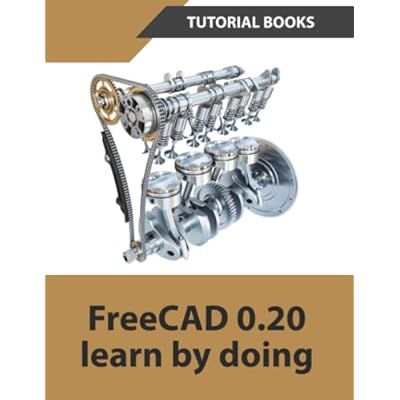
FreeCAD 0.20 Learn by doing: Sketcher, Part Design, Assemblies, Technical Drawings Paperback July 29, 2022
Artigo n.º:
57736364
STD 971375
Price Details
Excluding Shipping & Custom charges ( Shipping and custom charges will be calculated on checkout )
*All items will import from EUA
0 ratings
Escreva um comentário
Em estoque
 Importado da loja USA
Encomende já e receba por volta de Sexta-Feira, Julho 03
Transação segura
A Ubuy trabalha arduamente para proteger a sua segurança e privacidade. O nosso sistema avançado de segurança de pagamentos garante a confidencialidade ao encriptar as suas informações durante a transmissão, utilizando os protocolos AES (Normas de Encriptação Avançada) e SSL (Camada de Sockets Seguros). Os seus dados de pagamento estão 100% seguros, pois não partilhamos os seus dados de pagamento com vendedores terceiros.
Os nossos principais Parceiros Logísticos


This book is written to help new users learn the basic concepts of FreeCAD

Fast
Shipping

Devolução
gratuita*

Embalagem Segura

Produtos 100% Originais

Certificação PCI DSS

Certificação ISO 27001


Note: Step Down Voltage Transformer required for using electronics products of EUA store (110-120). Recommended power converters Compre Agora.


Detalhes do produto
- Comprehensive guide to learning the basic concepts of FreeCAD 0.20
- Introduces users to the user interface, essential tools, and techniques
- Covers sketching, part design, assemblies, and technical drawings
- Includes chapters on sketch techniques, extrude and revolve features, patterned geometry, sweep features, loft features, modifying parts, assemblies, and drawings
- Written for beginners to help them become familiar with FreeCAD
- Helps users gain a clear understanding of the FreeCAD interface and its widely used tools
| Item Weight | 1 lbs (450 grams) |
DESCRIÇÃO DO PRODUTO
FreeCAD 0.20 Learn by doing: Sketcher, Part Design, Assemblies, Technical Drawings Paperback July 29, 2022
About This Item
Introducing "FreeCAD 0.20 Learn by doing: Sketcher, Part Design, Assemblies, Technical Drawings" Unlock the full potential of FreeCAD 0.20 with our comprehensive learning guide. Whether you're a beginner or an experienced user, this book will take you through a step-by-step journey of mastering the Sketcher, Part Design, Assemblies, and Technical Drawings modules. Designed for hands-on learners, this paperback book is packed with practical examples and exercises that allow you to learn FreeCAD 0.20 by doing. You'll gain a deep understanding of the software's capabilities, enabling you to confidently design and create 3D models, assemblies, and technical drawings. Learn the ins and outs of the Sketcher module, where you'll discover powerful tools for creating 2D sketches that serve as the foundation for your designs.
Master the Part Design module, which equips you with the skills to bring your sketches to life and create complex 3D models. Explore the Assemblies module to learn how to assemble multiple components into a cohesive design. Finally, dive into the Technical Drawings module to generate precise and professional 2D drawings from your 3D models. With our easy-to-follow tutorials and comprehensive explanations, you'll quickly become proficient in FreeCAD 0.20.
Whether you're a hobbyist, student, or professional, this guide will empower you to unleash your creativity and turn your ideas into reality. Don't miss out on the opportunity to expand your FreeCAD skills. Get your hands on "FreeCAD 0.20 Learn by doing: Sketcher, Part Design, Assemblies, Technical Drawings" and start creating remarkable designs today!.
Tem alguma Dúvida? Converse connosco
Perguntas e Respostas dos Clientes
-
pergunta:
What is FreeCAD 0.20 Learn by Doing about?
Resposta: FreeCAD 0.20 Learn by Doing is a comprehensive guide aimed at beginners and experienced users alike. It covers essential topics including Sketcher, Part Design, Assemblies, and Technical Drawings, providing step-by-step instructions and practical examples. This structured approach ensures that readers not only learn the theoretical aspects of FreeCAD but also gain hands-on experience by completing projects, making it suitable for those wanting to build real-world applications and improve their CAD skills. -
pergunta:
Who is the target audience for this book?
Resposta: The book targets a wide range of users, from absolute beginners exploring computer-aided design for the first time to intermediate users looking to deepen their understanding of FreeCAD. It's designed for hobbyists, students, and professionals in engineering and architecture who wish to leverage FreeCAD for creating technical drawings, 3D models, and assemblies. The practical approach makes it a suitable resource for anyone eager to enhance their design capabilities through hands-on activity. -
pergunta:
What materials are included in the book to aid learning?
Resposta: The book includes high-quality illustrations, screenshots, and practice exercises that guide the reader through each topic. These materials enhance comprehension, allowing users to visualize concepts and apply them immediately through practical applications. Additionally, the approach of 'learning by doing' ensures that each chapter builds on the previous one, thus reinforcing understanding and retention of the information presented. -
pergunta:
Is FreeCAD 0.20 Learn by Doing suitable for self-study?
Resposta: Absolutely! This book is specifically designed for self-learners. Its structured format with clear explanations and stepwise projects enables readers to progress at their own pace without needing instructor guidance. The exercises encourage practice, which is crucial for mastering FreeCAD’s features. For anyone interested in self-directed learning in CAD software, this guide serves as an invaluable resource. -
pergunta:
Can I use FreeCAD with other CAD software?
Resposta: Yes, FreeCAD can be effectively used alongside other CAD software. The concepts and skills learned from this book can often translate to different programs, enhancing your overall CAD proficiency. Since FreeCAD supports various file formats, you can import and export models to and from other applications, making it easy to collaborate and integrate your work in multi-software environments. -
pergunta:
What are the system requirements for FreeCAD 0.20?
Resposta: To run FreeCAD 0.20 effectively, you need a compatible operating system such as Windows, macOS, or Linux, along with a decent processor and RAM. A graphics card with OpenGL support is also advisable for optimal performance. While specific requirements may vary, most modern computers should handle FreeCAD smoothly, allowing you to focus on learning and creating without technical disruptions. -
pergunta:
What kinds of projects can I create with FreeCAD?
Resposta: With FreeCAD, you can create a wide array of projects, from simple 2D sketches and complex 3D models to detailed assemblies and technical drawings. This book illustrates projects ranging from mechanical parts to architectural designs, giving you the flexibility to apply your skills in various fields. Whether you're designing machinery, models for 3D printing, or architectural layouts, this guide equips you with the knowledge to visualize and execute your ideas. -
pergunta:
How does this book facilitate learning technical drawings?
Resposta: This book integrates technical drawing principles directly within the context of FreeCAD. Through practical exercises, you’ll learn how to produce professional technical drawings from your 3D models. This skill is invaluable for communicating designs clearly and accurately in professional settings, making it essential for engineers and architects who must adhere to industry standards. The exercises also enhance your understanding of dimensions, scales, and annotations. -
pergunta:
Can I find the book in multiple languages or formats?
Resposta: Currently, the primary format of 'FreeCAD 0.20 Learn by Doing' is paperback English. However, interest in translations may grow, so checking online platforms is advisable. If you're looking for digital formats, you might find e-books or other resources that complement your learning experience. Regardless of the format, the book's hands-on approach remains a valuable asset for learners worldwide. -
pergunta:
Where can I buy FreeCAD 0.20 Learn by Doing in São Tomé and Príncipe?
Resposta: You can purchase FreeCAD 0.20 Learn by Doing at Ubuy. They offer a variety of books and resources, ensuring you can find this guide easily. Ubuy provides options for users to navigate through their selection efficiently, along with helpful customer support to assist you through your purchase process, making it a reliable choice for acquiring this book.
Drafting & Mechanical Drawing Editorial Review
The FreeCAD 0.20 Learn by Doing book is a comprehensive guide for using FreeCAD software, covering various aspects such as Sketcher, Part Design, Assemblies, and Technical Drawings. The book is recommended for experienced CAD users who are interested in using the software for designing parts in 3D printing. However, some readers have pointed out numerous errors in the book, including wrong command callouts, jumped instructions, and references to earlier versions of the software. They advise that someone should review the book and correct the errors before releasing a revised edition. One of the reviewers shares that FreeCAD is a powerful engine with a Considerable set of bugs, such as the program resetting if left overnight, which potentially erases all your work. They recommend avoiding the ESC key if you don't want to lose your work and charge and debug the software to make it better. The book provides useful tips and hints that only professionals may know, according to one reviewer. They rate it highly, recommending it as a must-have for CAD users.
Avaliações e Classificações dos Clientes
1 classificações de clientes
-
5 Estrela
100%
-
4 Estrela
0%
-
3 Estrela
0%
-
2 Estrela
0%
-
1 Estrela
0%
Avaliar este produto
Partilhe as suas ideias com outros clientes
Prós
- Comprehensive guide that covers various aspects of FreeCAD software
- Provides useful tips and hints for professionals
- Recommended for experienced CAD users
Contras
- Numerous errors in the book
Histórico de preços do produto
Informação importante
- Limitações: para produtos expedidos internacionalmente, tenha em atenção que qualquer garantia do fabricante pode não ser válida; opções de serviço do fabricante podem não estar disponíveis; manuais de produtos, instruções e avisos de segurança podem não estar nas línguas do país de destino; os produtos (e materiais que o acompanham) pode não ter sido concebido em conformidade com as normas, especificações e requisitos de rotulagem do país de destino; e os produtos podem não estar em conformidade com a voltagem e outras normas elétricas do país de destino (requerendo assim o uso de um adaptador ou conversor caso seja apropriado). O destinatário é responsável por garantir que o produto pode ser legalmente importado para o país de destino. Quando encomenda à Ubuy ou aos seus afiliados, o destinatário é o importador de registo e deve estar em conformidade com todas as leis e regulamentos do país de destino.
- Nem todos os produtos listados na Ubuy estão à venda, uma vez que a Ubuy é um motor de busca global. Os produtos estão sujeitos a leis de exportação/comércio.
STD 971375
Encomende já e receba por volta de Sexta-Feira, Julho 03
Este artigo não está restrito no meu país. (Clique no link acima se este artigo não estiver restrito no seu país, para que a nossa equipa o analise e permita.)
QTY:
Transação segura
A Ubuy trabalha arduamente para proteger a sua segurança e privacidade. O nosso sistema avançado de segurança de pagamentos garante a confidencialidade ao encriptar as suas informações durante a transmissão, utilizando os protocolos AES (Normas de Encriptação Avançada) e SSL (Camada de Sockets Seguros). Os seus dados de pagamento estão 100% seguros, pois não partilhamos os seus dados de pagamento com vendedores terceiros.
Os nossos principais Parceiros Logísticos
Entrega internacional mais rápida
Recursos e benefícios
- FreeCAD is easy-to-use CAD software
- Provides basic understanding of FreeCAD interface
- Covers widely used tools for component design, assembly, and detailing
- Includes detailed table of contents
- Teaches Sketch techniques, Extrude and Revolve features, Sweeps, Lofts, and more
- Includes Modifying Parts, Assemblies, and Drawings