- Pagina inicial /
- Eletrónica /
- Computer Accessories /
- Computer Accessories & Peripherals /
- Keyboards, Mice & Accessories /
- Computer Keyboards /
- Logitech Slim Folio with Integrated Bluetooth...
0 ratings


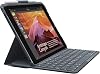

Logitech Slim Folio with Integrated Bluetooth Keyboard for iPad 5th and 6th Generation
0 ratings
Escreva um comentário
Fora de stock
 Importado da loja USA
Transação segura
A Ubuy trabalha arduamente para proteger a sua segurança e privacidade. O nosso sistema avançado de segurança de pagamentos garante a confidencialidade ao encriptar as suas informações durante a transmissão, utilizando os protocolos AES (Normas de Encriptação Avançada) e SSL (Camada de Sockets Seguros). Os seus dados de pagamento estão 100% seguros, pois não partilhamos os seus dados de pagamento com vendedores terceiros.
Os nossos principais Parceiros Logísticos


Fast
Shipping

Devolução
gratuita*

Embalagem Segura

Produtos 100% Originais

Certificação PCI DSS

Certificação ISO 27001


Note: Step Down Voltage Transformer required for using electronics products of EUA store (110-120). Recommended power converters Compre Agora.


O que se Destaca
Integrated Keyboard
The built-in Bluetooth keyboard allows for easy typing, enhancing productivity and transforming your iPad into a laptop-like experience, perfect for both work and leisure.
Compact Design
Its slim profile and lightweight design make it portable, allowing users to carry it effortlessly while protecting the device, ideal for on-the-go professionals and students.
Versatile Viewing
Multiple viewing angles provide users with optimal comfort and flexibility, whether for typing, streaming, or browsing, catering to diverse usage scenarios effortlessly.
Detalhes do produto
| Item Weight | 1 lbs (450 grams) |
Quem Deverá Comprar?

-
Students
Great for note-taking and typing assignments, making lectures and study sessions more efficient and organized.
-
Professionals
Ideal for business users who need a portable keyboard for emails, reports, and presentations on the go.
-
Casual Users
Perfect for consumers looking for a comfortable typing experience while browsing or watching content on their iPad.

-
Gamers
Not designed for gaming; the key response and layout may not meet the demands of serious gamers.
-
Graphic Designers
Limited functionality for design software; users may prefer a more specialized tablet or accessory for graphics.
-
Heavy Typists
The key feel and travel might not satisfy those who require tactile feedback for extensive typing sessions.
DESCRIÇÃO DO PRODUTO
Logitech Slim Folio with Integrated Bluetooth Keyboard for iPad 5th and 6th Generation
Tem alguma Dúvida? Converse connosco
Perguntas e Respostas dos Clientes
-
pergunta:
What are the key features of the Logitech Slim Folio with Integrated Bluetooth Keyboard?
Resposta: The Logitech Slim Folio comes with a full-size keyboard that features well-spaced keys for comfortable typing, making it ideal for prolonged use. It also offers multi-tasking capabilities with its integrated stand, providing multiple viewing angles. Constructed with durable materials, it protects your iPad from damage and wear. This combination of portability and functionality enhances the iPad experience, making it suitable for students, professionals, or anyone who frequently types on the go. -
pergunta:
Is the Logitech Slim Folio compatible with other iPad models aside from the 5th and 6th generation?
Resposta: No, the Logitech Slim Folio is specifically designed for the iPad 5th and 6th generation, ensuring perfect fit and functionality. While it may seem similar to other models, each iPad series has unique dimensions and features, such as camera placement and button positions. Using a case or keyboard that fits correctly is crucial for optimal use and protecting your device, thus adhering strictly to the designated models is recommended. -
pergunta:
How does the Bluetooth connectivity work with the Logitech Slim Folio?
Resposta: The Slim Folio connects to your iPad via Bluetooth, which is simple and straightforward. Just turn on your iPad’s Bluetooth settings, and the keyboard will automatically pair within seconds after you press the connect button. This wireless feature promotes a clutter-free workspace, perfect for those who prefer to type without tangled cables. Once paired, it maintains a strong connection, empowering users to work seamlessly across multiple apps with ease. -
pergunta:
Can the Logitech Slim Folio charge while in use?
Resposta: The Logitech Slim Folio itself does not require charging, as it operates on a long-lasting battery that can last for months depending on usage. This means you'll minimize interruptions and avoid the hassle of keeping it powered like traditional devices. Its efficient battery life allows for reliable use whether you’re crafting documents, sending emails, or enjoying leisure activities, providing freedom and convenience while working or relaxing. -
pergunta:
What types of materials is the Logitech Slim Folio made from?
Resposta: The Slim Folio is crafted from durable materials that provide a robust yet lightweight feel. The outer layer is made of high-quality fabric that protects against scratches and bumps, while the inner lining is designed to be soft to prevent scratches on your iPad’s screen. This durable construction is vital for users who travel frequently or those with an active lifestyle, ensuring your device remains protected from everyday wear and tear. -
pergunta:
Is the keyboard backlit on the Logitech Slim Folio?
Resposta: No, the Logitech Slim Folio does not feature a backlit keyboard. This design choice helps to keep the overall size slim and battery-efficient. While this may be a downside in low-light conditions, the keyboard is optimized for tactile feedback and comfortable typing experience. For users who primarily work in well-lit environments or who are used to maintaining good lighting while typing, this shouldn't impact productivity significantly. -
pergunta:
How do you clean the Logitech Slim Folio?
Resposta: Cleaning the Slim Folio is straightforward. Simply use a slightly damp cloth to wipe down the exterior, and a microfiber cloth for the screen area to avoid scratches. It’s crucial to avoid harsh chemicals that can damage the material. Regular maintenance ensures that your Slim Folio remains looking fresh, which is important not only for aesthetics but also for prolonging its life, especially for students or professionals who use it daily. -
pergunta:
Does the Logitech Slim Folio offer any sleep/wake function?
Resposta: Yes, the Slim Folio features an automatic sleep/wake function that activates when you open or close the case. This function helps to conserve battery life on your iPad while ensuring convenience, as your device is ready to use immediately when you need it. Users appreciate this feature when transitioning quickly between tasks, allowing for a seamless flow of productivity in both work and leisure time. -
pergunta:
Can I use the Logitech Slim Folio for gaming on my iPad?
Resposta: While the Slim Folio is primarily designed for typing and productivity, it can be used for some gaming applications. The responsive keys enhance control for text-based games, while the iPad's screen is conducive to an immersive gaming experience. However, for gaming that relies heavily on touch controls, users might find that utilizing the touchscreen directly is more efficient. Thus, the Slim Folio serves as a versatile tool accommodating both work and entertainment. -
pergunta:
Where can I buy Logitech Slim Folio with Integrated Bluetooth Keyboard for iPad 5th and 6th Generation in São Tomé and Príncipe?
Resposta: You can purchase the Logitech Slim Folio with Integrated Bluetooth Keyboard for iPad 5th and 6th Generation at Ubuy, a popular online marketplace. Ubuy offers a convenient platform to browse, compare, and buy this product with a straightforward checkout process. Additionally, it provides various options in terms of delivery for your utmost convenience, ensuring your iPad is paired with this premium accessory without hassle.
Logitech Keyboards Editorial Review
The Logitech Slim Folio is a great accessory for iPad 5th and 6th generation owners. The keyboard supports international characters and works well with a tempered glass screen protector. However, configuring languages and compatibility with iPad Pro 12.9 may be issues. Accessing emojis is easy with the dedicated key. Overall, it is a dependable and solid keyboard case, although some users have experienced magnets misalignment.
Avaliações e Classificações dos Clientes
1 classificações de clientes
-
5 Estrela
100%
-
4 Estrela
0%
-
3 Estrela
0%
-
2 Estrela
0%
-
1 Estrela
0%
Avaliar este produto
Partilhe as suas ideias com outros clientes
Prós
- Keyboard supports international characters
- Works well with tempered glass screen protector
- Easy access to emojis
- Dependable and solid
Contras
- Not user-friendly for configuring languages
Histórico de preços do produto
Informação importante
- Limitações: para produtos expedidos internacionalmente, tenha em atenção que qualquer garantia do fabricante pode não ser válida; opções de serviço do fabricante podem não estar disponíveis; manuais de produtos, instruções e avisos de segurança podem não estar nas línguas do país de destino; os produtos (e materiais que o acompanham) pode não ter sido concebido em conformidade com as normas, especificações e requisitos de rotulagem do país de destino; e os produtos podem não estar em conformidade com a voltagem e outras normas elétricas do país de destino (requerendo assim o uso de um adaptador ou conversor caso seja apropriado). O destinatário é responsável por garantir que o produto pode ser legalmente importado para o país de destino. Quando encomenda à Ubuy ou aos seus afiliados, o destinatário é o importador de registo e deve estar em conformidade com todas as leis e regulamentos do país de destino.
- Nem todos os produtos listados na Ubuy estão à venda, uma vez que a Ubuy é um motor de busca global. Os produtos estão sujeitos a leis de exportação/comércio.
Atualmente indisponivel.
Não sabemos quando ou se este artigo estará de volta ao stock.
Este artigo não está restrito no meu país. (Clique no link acima se este artigo não estiver restrito no seu país, para que a nossa equipa o analise e permita.)
Transação segura
A Ubuy trabalha arduamente para proteger a sua segurança e privacidade. O nosso sistema avançado de segurança de pagamentos garante a confidencialidade ao encriptar as suas informações durante a transmissão, utilizando os protocolos AES (Normas de Encriptação Avançada) e SSL (Camada de Sockets Seguros). Os seus dados de pagamento estão 100% seguros, pois não partilhamos os seus dados de pagamento com vendedores terceiros.
Os nossos principais Parceiros Logísticos
Entrega internacional mais rápida